Tallymile
Mileage you can prove.
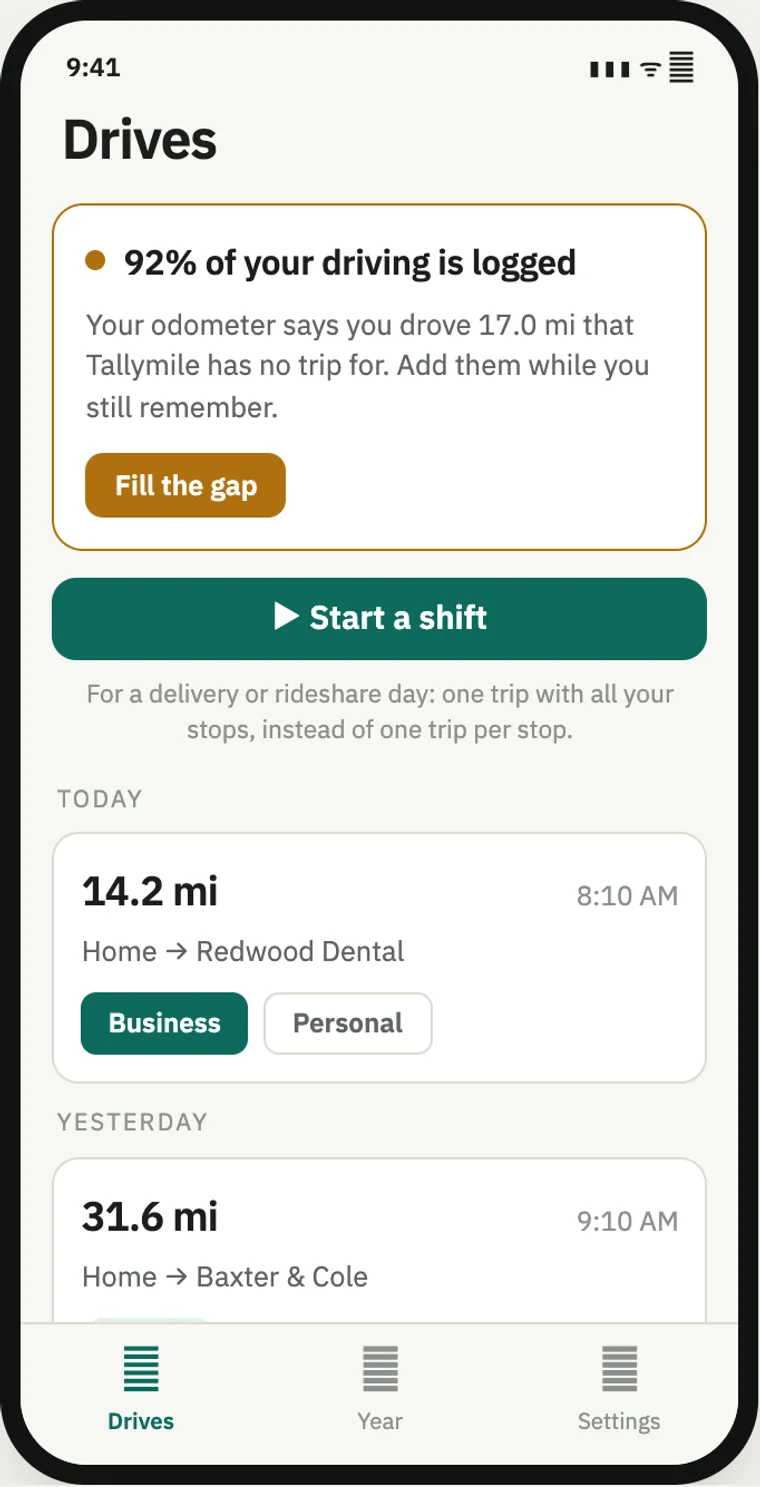
Most mileage apps can't tell you when they've missed a drive.
You usually find out at tax time, when the missing trips are gone for good. Tallymile compares what it recorded with your car's odometer, so a gap shows up the same week, not the next spring.
Checked against your odometer
Enter your odometer reading and Tallymile shows what share of your driving it has logged.
Fill the gap
When the numbers don't match, it tells you right away, while you still remember the trip.
Records on its own
It notices when a drive starts and records it, without you opening the app.
Shifts for gig work
For delivery or rideshare days, log one trip with all your stops instead of one per stop.
Rules that sort trips
Set a rule once, like weekday mornings are business, and new drives are sorted for you.
Tax-ready numbers
Your deduction so far, with rate changes applied by date, and a log you can export.
Three screens. Everything you need.
Drives
How much of your driving is logged, first thing.
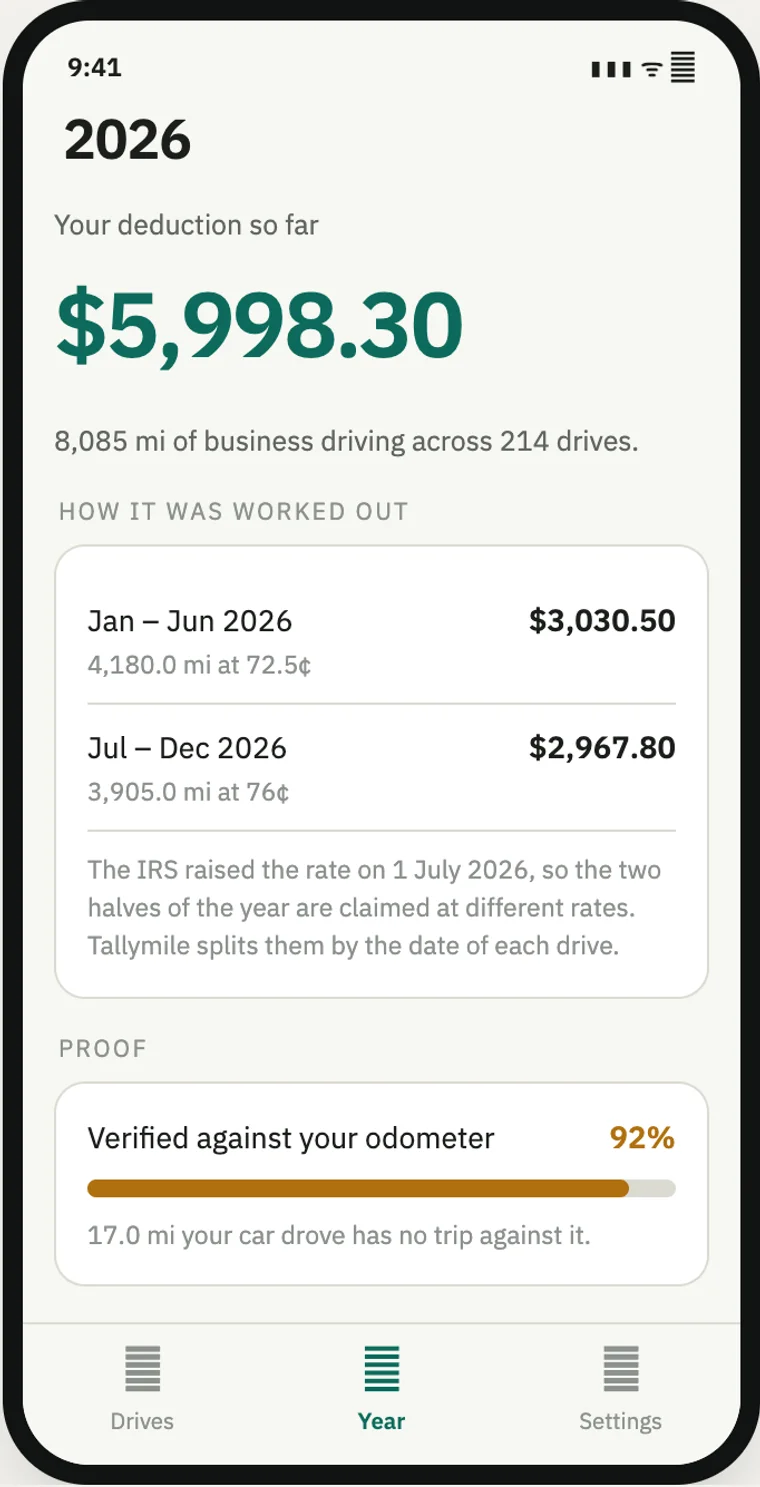
Year
Your deduction so far, and how it was worked out.
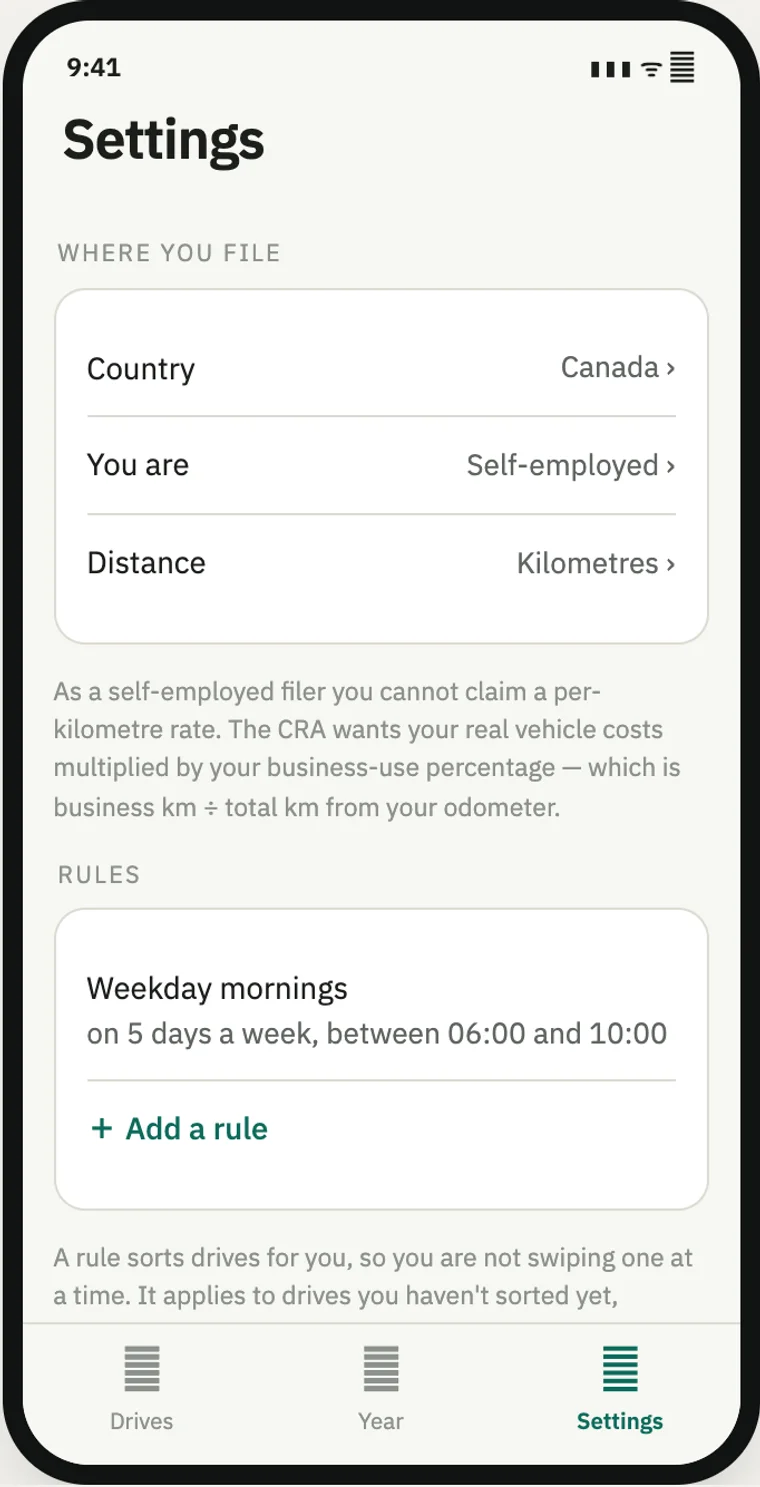
Settings
Where you file, how you work, and your rules.